
 Back
Back
A background check can tell you about a candidate’s history. It can’t, by itself, prove the person submitting that history is the person you interviewed. That gap is why employee verification software is moving beyond pre-employment screening into identity proofing, liveness detection, biometric matching, re-verification, and workforce access.
This comparison focuses on that broader Know Your Employee (KYE) problem. It covers platforms for organizations that need to verify who a worker actually is, not simply whether a name, degree, or employment record checks out.
Key takeaways
- Employee identity verification and employee background screening solve different problems. Strong KYE programs may need both.
- For remote or privileged workers, verification should not stop after the pre-employment check.
- Document authenticity, selfie-to-ID matching, liveness, re-verification, and IAM integration are important when identity fraud is the main risk.
- Background-screening platforms are usually stronger for criminal, employment, education, and other historical checks.
- The right platform depends on where identity trust can break in your workflow, not on which vendor has the longest feature list.
What employee verification software should actually verify
The phrase “employee verification” covers several jobs that are easy to confuse.
An employee background verification platform may confirm previous employers, education, criminal records, driving history, professional credentials, or other information associated with a candidate. Identity verification answers an earlier question: is the person providing that information actually the person they claim to be?
That distinction matters. The U.S. Department of Justice has documented remote IT employment schemes in which stolen or fraudulent identities were used to obtain jobs at U.S. companies. In a June 2025 action, the DOJ described schemes involving false identities, remote access to employer-issued computers, and fraudulent employment at more than 100 companies. The case provides a useful example of why checking someone’s history without securely binding that history to the human being entering your systems can leave a gap.
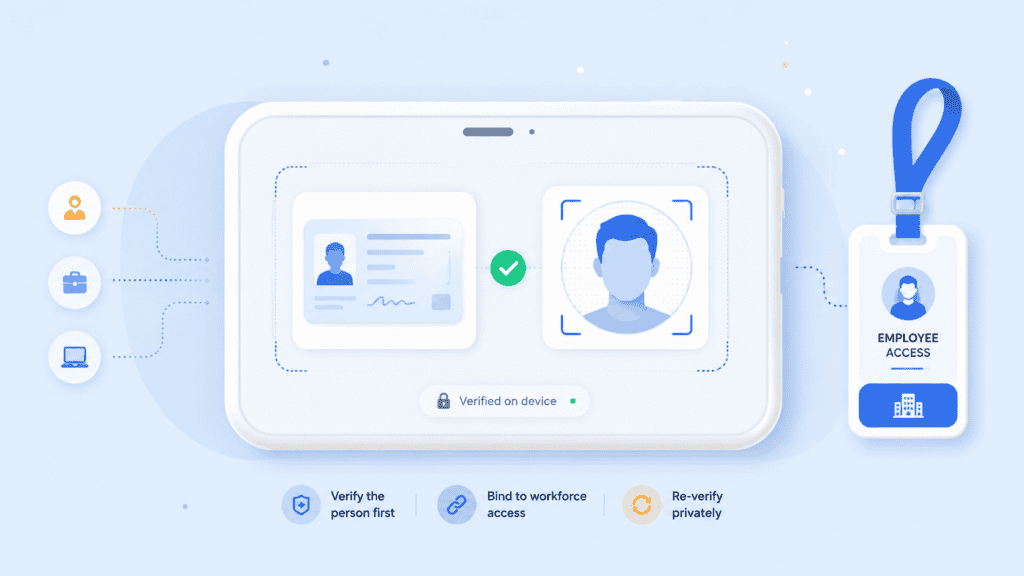
A mature KYE workflow can therefore contain four separate controls:
- Identity proofing: Validate identity evidence and confirm it belongs to the person presenting it.
- Background screening: Check relevant history or credentials according to the role and applicable law.
- Workforce onboarding: Bind the verified person to an employee account, device, credential, or authorization.
- Re-verification: Confirm identity again before sensitive events such as account recovery, MFA resets, privileged access, or changes to payroll details.
NIST’s current SP 800-63A-4 separates identity proofing into identity resolution, validation, and verification. In plain English, you need to establish that the claimed identity exists, that the supplied evidence is valid, and that the person presenting it is actually associated with that identity. NIST SP 800-63A-4 provides the current federal guidance.
That framework is a useful benchmark when evaluating know your employee software, even outside federal use cases.
Top 10 employee verification software platforms
This list is ordered by breadth of fit for KYE rather than claiming one vendor is universally superior. Some products concentrate on workforce identity assurance. Others are primarily background-screening platforms. A few can cover parts of both.
| Platform | Strongest fit | Identity proofing | Background screening | Ongoing workforce verification |
| PrivateID | Privacy-focused KYE and workforce identity | Strong | Via workflow integrations | Strong |
| Persona | Configurable workforce identity workflows | Strong | Limited | Strong |
| Incode | Identity verification across high-risk workforce events | Strong | Limited | Strong |
| HYPR | KYE tied to enterprise authentication | Strong | Limited | Strong |
| Entrust | Enterprise workforce identity assurance | Strong | Limited | Strong |
| Veriff | Global employee identity verification | Strong | Limited | Strong |
| Checkr | Background checks plus candidate identity verification | Strong | Strong | Moderate |
| Sterling | Enterprise background screening with ID verification | Strong | Strong | Moderate |
| HireRight | Large-scale background and employment verification | Moderate | Strong | Limited |
| Trulioo | Global identity and data verification infrastructure | Strong | Limited | Configurable |
1. PrivateID
PrivateID is a strong fit when the main problem is proving that an employee or contractor is the same real person throughout onboarding, authentication, and later high-risk interactions.
Its identity platform combines document verification, liveness, biometric matching, and identity proofing. PrivateID’s differentiating architecture processes biometric information on the user’s device and converts it into homomorphic tokens rather than relying on raw biometric images as the reusable identity record.
For a KYE workflow, that creates an interesting model. An employer could perform document verification during onboarding, establish a trusted employee identity, and then use biometric authentication when that employee later needs sensitive access or account recovery. The organization doesn’t have to treat the initial ID check as the last time identity is established.
PrivateID also supports verifiable credentials for workforce identity management, which can be useful when verified identity or employment attributes need to move across systems without repeatedly rebuilding the identity from scratch.
Best fit: Organizations prioritizing privacy-preserving workforce identity verification, repeat authentication, browser-based workflows, and high-assurance identity proofing.
2. Persona
Persona is oriented toward configurable identity verification workflows rather than traditional employment screening.
That makes it useful for organizations that want verification at multiple workforce checkpoints. A security team might verify a candidate during hiring, perform another check before device enrollment, and require step-up verification when an employee requests account recovery or performs a privileged action.
Its broader identity toolkit also gives teams flexibility over which signals trigger added verification. This is useful when a universal “scan your ID every time” policy would create unnecessary friction.
Best fit: Organizations that want highly configurable workforce identity workflows connected to existing IAM, HR, and security processes.
3. Incode
Incode approaches KYE as a lifecycle identity problem. Its workforce offering concentrates on establishing identity with a government document and biometric check, then using that established identity again at important moments.
That model is particularly relevant to remote work. The employee who passed a pre-employment check may later call a help desk, reset MFA, enroll another device, or request access to a sensitive system. Those events create opportunities for impersonation if the company verifies credentials but not the human behind them.
Best fit: Enterprises seeking biometric identity verification from hiring through account recovery and privileged workforce interactions.
4. HYPR
HYPR combines workforce identity verification with authentication and identity risk controls.
Its fit becomes clearer when KYE is owned jointly by HR, security, identity and access management (IAM), and IT rather than being treated solely as a recruiting function. Identity can be checked during onboarding and re-established when an employee encounters a high-risk authentication event.
That makes HYPR different from a conventional employee background verification platform. Its strength lies less in researching a candidate’s work history and more in ensuring the verified employee remains connected to the credentials being used inside the enterprise.
Best fit: Enterprises that want KYE, passwordless authentication, workforce access, and identity risk controls working together.
5. Entrust
Entrust offers workforce identity verification as part of a wider identity and authentication portfolio.
The platform is designed around high-assurance events such as onboarding, MFA enrollment, account recovery, and access to corporate resources. Government ID verification and biometric checks help bind an employee’s digital identity to a real person.
Entrust is especially relevant to organizations already thinking in terms of enterprise identity architecture rather than a standalone hiring check.
Best fit: Larger organizations seeking workforce verification within a broader enterprise identity, credential, and authentication environment.
6. Veriff
Veriff provides employee identity verification using capabilities such as document checks, biometric matching, liveness, and fraud signals.
It is particularly relevant to distributed workforces where candidates and contractors may never visit a physical office. The same identity layer can also be used for later re-verification rather than relying exclusively on passwords, knowledge-based questions, or a help-desk agent recognizing someone’s voice.
Best fit: International organizations that need remote identity verification across a geographically distributed workforce.
7. Checkr
Checkr occupies a useful middle ground because it combines conventional employment background screening with candidate identity verification.
A hiring team can verify a government ID and live candidate before running checks tied to that identity, then perform employment, education, criminal-record, or other screenings based on its configured package.
This sequencing matters. Running an expensive or time-consuming background investigation against an identity that hasn’t first been established can create unnecessary work and may leave the business checking records for the wrong person.
Best fit: Employers that want identity verification and traditional pre-employment background checks in a closely connected hiring workflow.
8. Sterling
Sterling is another option for organizations where employee verification still centers heavily on background screening but identity fraud has become part of the risk model.
Its services cover traditional screening alongside digital identity verification. That makes it suitable for HR teams that don’t want to replace their background-screening process with a security-oriented identity platform but do want stronger confidence in the candidate entering that process.
Best fit: Larger employers seeking established background-screening capabilities with identity verification added before or alongside screening.
9. HireRight
HireRight is primarily a background-screening and workforce verification provider rather than a dedicated continuous KYE identity platform.
Its value is strongest when “employee verification” means confirming employment history, education, credentials, criminal history, or other information used during hiring. It can fit multinational organizations with established screening programs and substantial hiring volume.
The tradeoff is important. If your primary concern is deepfake interviews, impersonated help-desk requests, or biometric re-verification after hiring, evaluate whether you need a separate workforce identity layer.
Best fit: Enterprises prioritizing broad pre-employment screening and employment-history verification.
10. Trulioo
Trulioo is primarily known for global identity verification rather than HR-specific background screening.
Its verification infrastructure combines documentary and non-documentary identity checks, biometrics, data-source matching, and fraud signals. For multinational employers or workforce platforms, those capabilities can be incorporated into a custom KYE workflow where geographic identity coverage matters.
The platform may be more infrastructure-oriented than an HR team needs if the requirement is simply to run standard pre-employment checks.
Best fit: Global companies or platforms that need configurable identity verification across multiple countries and data sources.
How to compare KYE software
A vendor comparison gets easier once you separate the controls you genuinely need from features that look impressive in a demo.
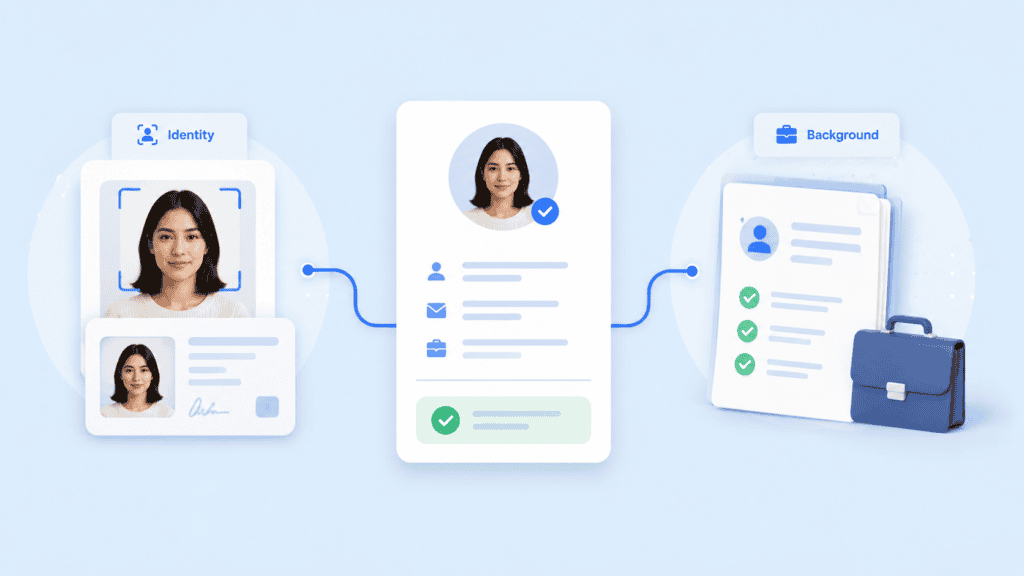
Verify the person before researching the person
A common procurement mistake is treating background verification and identity verification as synonyms.
Consider a remote engineering hire. The applicant submits a convincing résumé, valid employment history, and identity details belonging to a real person. A background check may return legitimate records because the stolen identity itself is legitimate.
The KYE failure occurred earlier. The employer never established that the human attending the interview and receiving corporate access was the person associated with those records.
A safer sequence looks like this:
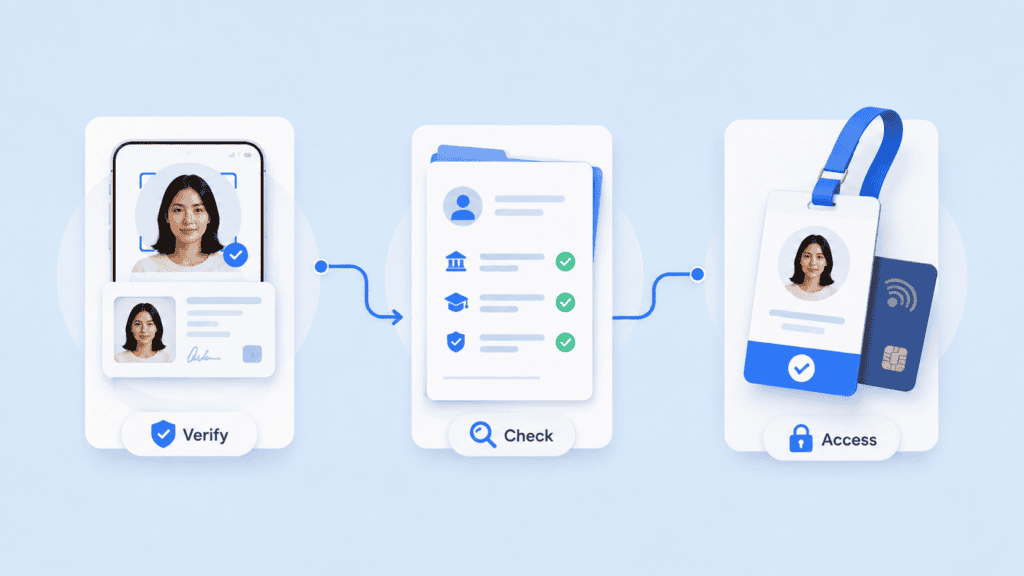
Candidate identity proofing → background and credential checks → onboarding → account and device binding → risk-based re-verification
That sequence is more useful than simply buying the vendor with the largest screening catalogue.
Look for liveness, not just face matching
A selfie-to-ID match answers whether two faces appear to belong to the same person. Liveness or presentation attack detection addresses a different problem: whether the system is interacting with a genuine live person rather than a replay, photograph, mask, manipulated feed, or other spoof.
For remote KYE, those controls increasingly belong together.
Ask vendors how liveness works, what happens when confidence is low, whether manual review is available, and how the system handles camera injection or synthetic media. A checkbox labelled “biometrics” doesn’t answer those questions.
Decide where re-verification should happen
Continuous verification does not mean repeatedly interrupting employees throughout the day.
A better model identifies a small set of identity-critical events. Examples include:
- issuing an employee’s first corporate credentials;
- enrolling or replacing a trusted device;
- recovering an account or resetting MFA;
- changing payroll or banking details;
- granting privileged administrator access; and
- restoring access after suspicious activity.
The employee verification software should let your organization increase assurance at these moments rather than applying maximum friction to every interaction.
Check how identity evidence is stored
KYE systems handle information that can be more sensitive than a normal password database. Government IDs, facial images, biometric templates, employment records, and background reports can all create long-term data exposure.
Ask a vendor exactly what is captured, transmitted, retained, and deleted. Also ask whether the same outcome can be achieved with less data.
Data-minimizing architectures are particularly relevant to biometrics because a compromised password can be replaced, while a person’s face or fingerprint is persistent.
Keep employment law separate from security engineering
Strong identity proofing doesn’t make every background-screening practice legally appropriate.
In the United States, the Equal Employment Opportunity Commission notes that employers using background information for personnel decisions still need to comply with federal anti-discrimination laws. When a third-party company provides a background report, Fair Credit Reporting Act requirements may also apply. State and local requirements can add further restrictions. EEOC guidance for employers explains these distinctions.
That is another reason to distinguish security-oriented workforce identity verification from employment screening. They may appear in the same KYE program, but they carry different operational and legal requirements.
Build KYE around the employee lifecycle
The most useful way to design KYE is to map the moments where your organization changes its level of trust in a worker.
Start with a candidate who has no trusted identity in your systems. Before granting meaningful access, establish identity using evidence appropriate to the risk. For remote roles, that might mean government ID validation, liveness, and selfie-to-document matching.
Then bind that verified person to the employee record and the credentials they receive. This is the bridge many KYE projects miss. A successful identity check has limited value if the resulting identity isn’t connected to the IAM, HRIS, device, credential, or access-control record used later.
Finally, define when trust must be refreshed. A help-desk call requesting an MFA reset is a different security event from an ordinary Monday morning login. Your KYE software should support that distinction.
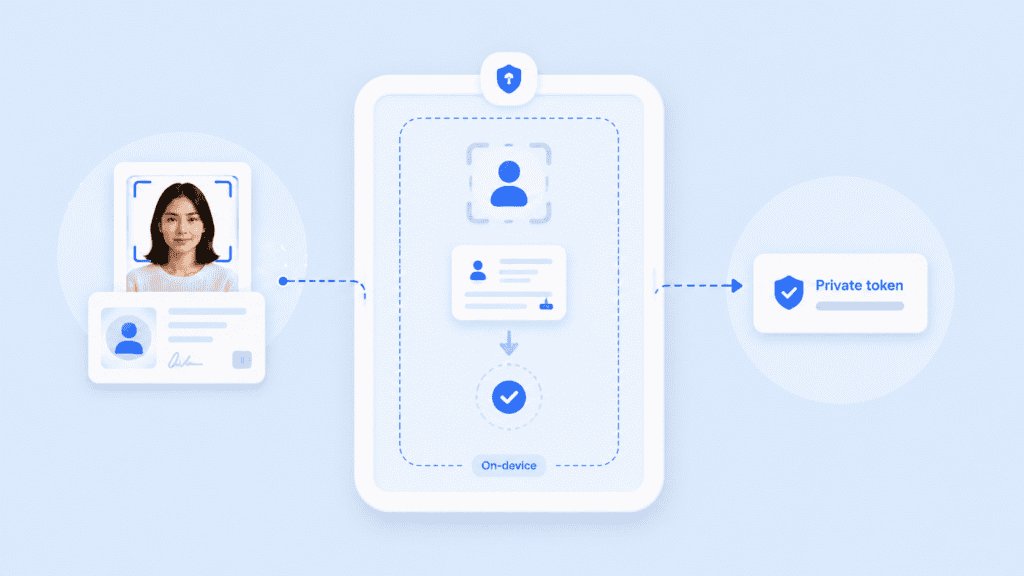
The result is a simple but stronger model:
Prove the person → check the relevant history → bind identity to workforce credentials → re-verify when trust changes.
That is a more useful standard for employee verification software than asking whether a vendor offers “KYE” as a product label.
Choosing the right employee verification software
The strongest KYE program isn’t the one that collects the most information. It’s the one that knows exactly what needs to be proved at each point in the employee lifecycle.
If your main problem is employment history and criminal screening, a background-check specialist may be the better choice. If the risk is impersonation, fraudulent remote hires, account recovery, or privileged workforce access, prioritize identity proofing and repeat verification.
Most importantly, don’t stop at “the background check passed.” Make sure the person whose history you checked is the same person receiving access to your organization.
FAQs
What is employee verification software?
Employee verification software helps organizations confirm information about candidates, employees, or contractors. Depending on the product, this may include identity documents, biometrics, employment history, education, criminal records, professional credentials, or workforce access events.
A complete KYE program often uses more than one type of verification because identity proofing and background screening answer different questions.
What is KYE software?
KYE software supports Know Your Employee processes. It can verify who a worker is during hiring or onboarding and, in more advanced implementations, re-verify that person during sensitive events later in the employment lifecycle.
KYE is broader than simply checking whether someone previously worked for the employers listed on a résumé.
What is the difference between KYE and KYC?
Know Your Customer (KYC) generally applies identity and due-diligence controls to customers, especially in regulated financial services. Know Your Employee (KYE) applies identity and risk controls to employees, contractors, or other workforce members.
The underlying identity technologies can overlap, including document verification, database validation, liveness, and biometric matching.
Is employee verification the same as a background check?
No. Identity verification establishes whether a candidate is genuinely the person they claim to be. A background check investigates information associated with that person, such as employment history, education, criminal records, or other relevant records.
For higher-risk hiring, performing both can provide a more complete picture.
When should an employee be re-verified?
Re-verification is most useful when the organization’s trust relationship changes. Examples include account recovery, MFA resets, new device enrollment, privileged access, payroll changes, and suspicious security events.
The appropriate frequency and method depend on role risk, applicable law, internal policy, and the sensitivity of the systems involved.
What should companies look for in employee verification software?
Start with the actual risk. For identity fraud, look at document validation, liveness, biometric matching, spoof detection, privacy controls, re-verification, audit evidence, and integration with IAM or HR systems.
For conventional background screening, evaluate employment and education verification, criminal searches, jurisdictional coverage, candidate consent workflows, dispute handling, and applicable compliance controls.
Can employee verification software prevent fraudulent remote hires?
It can reduce important identity gaps, but no single control guarantees that fraudulent hiring will never occur. Stronger workflows combine identity proofing, background checks where appropriate, secure credential issuance, device controls, and re-verification at sensitive points.
For remote roles, the critical objective is maintaining a defensible connection between the person you assessed, the person you hired, and the person using the company’s credentials.