
 Back
Back
A customer reaches an age-restricted checkout, takes one look at a request to upload a driver’s license, and leaves. That is the problem facial age estimation software is increasingly designed to solve: determine whether someone is likely to meet an age threshold without automatically collecting their name, date of birth, or identity document.
For retailers, gaming operators, adult-content platforms, social networks, delivery services, and other regulated businesses, however, a fast selfie check is only part of the decision. Deployment architecture, facial age estimation accuracy, liveness, privacy, fallback verification, threshold configuration, and auditability all matter.
This guide compares ten notable age estimation and verification tools from that practical buying perspective, with particular attention to systems that can support regulated and age-restricted sales.
Key Takeaways
- Facial age estimation predicts an age or age band from a face. It does not necessarily establish a person’s identity or exact date of birth.
- The best implementation often uses a waterfall: low-friction estimation first, followed by stronger verification when the result falls near the legal threshold.
- Accuracy should be evaluated specifically around the age boundary that matters to the business, not from one headline accuracy percentage.
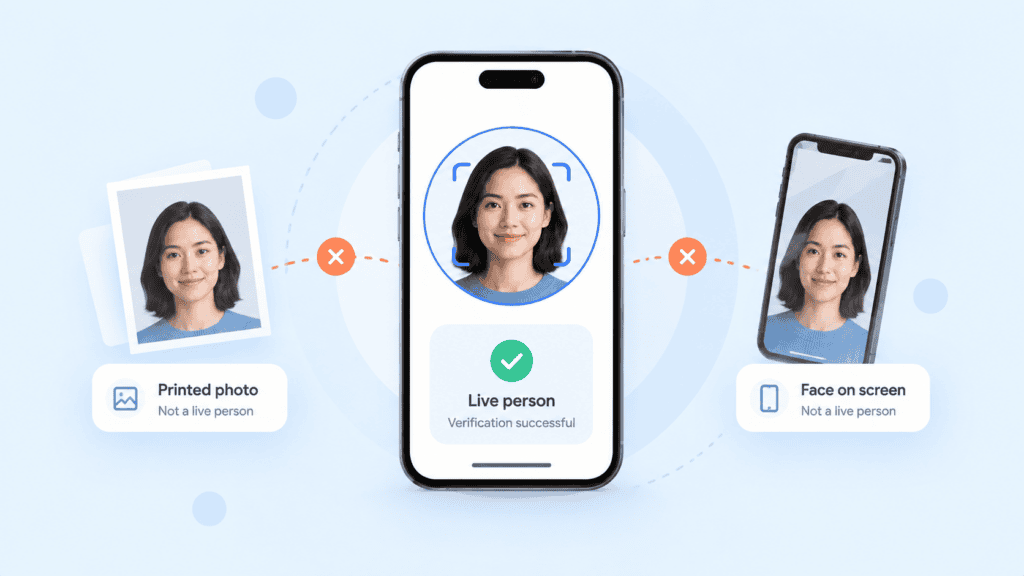
- Liveness and injection-attack controls matter because an accurate model is still vulnerable if an attacker can submit a photograph, replay, or synthetic face.
- On-device age estimation can reduce the amount of facial data transmitted to external infrastructure, which can materially change the privacy and security architecture of an age-check flow.
What Facial Age Estimation Software Actually Does
Age estimation and age verification solve related but different problems.
Age estimation analyzes characteristics of a face and predicts an age, age range, or over/under-threshold result. A user may simply look at a camera for a few moments.
Age verification relies on stronger evidence such as a government-issued identity document, authoritative database, verified credential, or another source containing a confirmed date of birth.
That distinction matters in regulated workflows. The UK Information Commissioner’s Office describes age assurance as a range of techniques for estimating or verifying a user’s age, including biometric systems, tokenised age checks, and hard identifiers such as passports. Its guidance also emphasizes selecting methods proportionate to the risk and considering privacy and data protection throughout the process.
The practical buying question therefore isn’t simply, “Which model predicts age best?”
It is:
What evidence does this transaction require, and what should happen when facial estimation alone doesn’t provide enough confidence?
That is where architecture matters.
A regulated merchant might, for example:
- Run facial estimation.
- Accept users who are comfortably above the configured threshold.
- Reject or restrict users clearly below it.
- Step borderline or inconclusive cases up to document-based verification.
- Apply liveness and anti-spoofing checks throughout the capture process.
This approach keeps unnecessary document collection out of many transactions while retaining a stronger route when required.
NIST evaluates facial age estimation and age verification algorithms through its ongoing Face Analysis Technology Evaluation program. The program measures performance across factors including age, image quality, pose, sex, geographic origin, and decision thresholds. This is important because a single vendor-wide accuracy percentage rarely tells procurement teams enough about real-world performance.
Top 10 Facial Age Estimation Software and Age Verification Tools
The following products cover different parts of the age-assurance market. Some specialize heavily in facial estimation, while others combine estimation with broader identity verification.
| Tool | Facial estimation | On-device option | Liveness | Document fallback | Best fit |
| PrivateID | Yes | Yes | Yes | Yes | Privacy-sensitive age assurance |
| Yoti | Yes | Varies by deployment | Yes | Yes | Established age-assurance programs |
| Incode | Yes | Yes | Yes | Yes | Enterprise orchestration |
| Veriff | Yes | Not its primary differentiator | Yes | Yes | Identity + age workflows |
| Jumio | Yes | Not its primary differentiator | Yes | Yes | Regulated identity environments |
| Sumsub | Yes | Not its primary differentiator | Yes | Yes | Multi-method compliance workflows |
| AU10TIX | Yes | Deployment dependent | Yes | Yes | Identity and fraud platforms |
| Entrust | Age assurance capabilities | Deployment dependent | Yes | Yes | Enterprise identity verification |
| Privately AgeAssure | Yes | Yes | Yes | Product dependent | Privacy-first estimation |
| Ondato OnAge | Yes | Product dependent | Yes | Available through broader platform | Reusable age status |
1. PrivateID
PrivateID is particularly relevant when the architecture of the age check matters as much as the prediction itself.
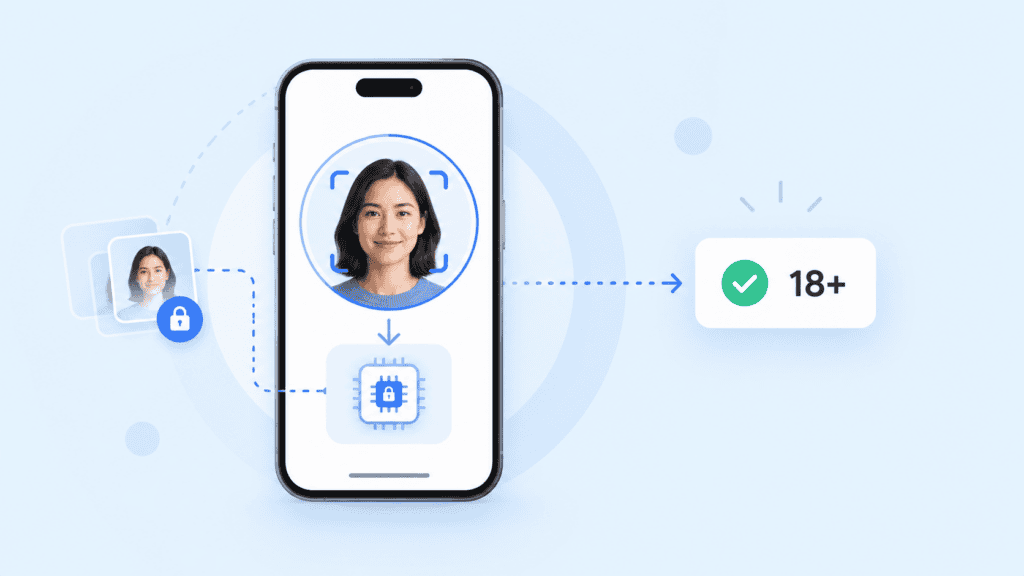
Its facial age verification technology can execute directly on the user’s device rather than requiring the facial image to be sent to a remote server. PrivateID states that age estimation can run in roughly 20 milliseconds on-device while keeping images and personally identifiable information on the device.
That makes it an interesting fit for organizations trying to reduce how much sensitive information enters their central infrastructure.
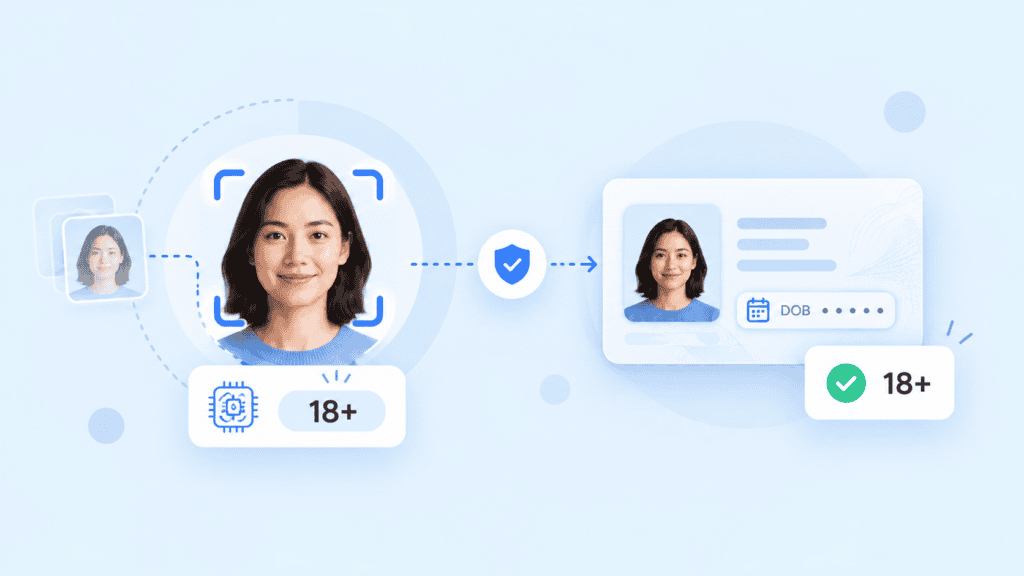
PrivateID’s broader age-assurance platform can combine facial estimation with liveness, photo ID confirmation, date-of-birth extraction, and selfie-to-ID portrait matching. The age assurance workflow is designed around configurable user journeys rather than forcing every user through the same verification method.
Best suited to: retailers, digital services, age-gated platforms, and organizations where local processing and data minimization are important architecture requirements.
2. Yoti
Yoti is one of the more established names specifically associated with digital age assurance.
Its facial estimation flow analyzes a selfie and can return an estimated age or threshold decision. Yoti also supports escalation into stronger forms of age verification, including document-based checks.
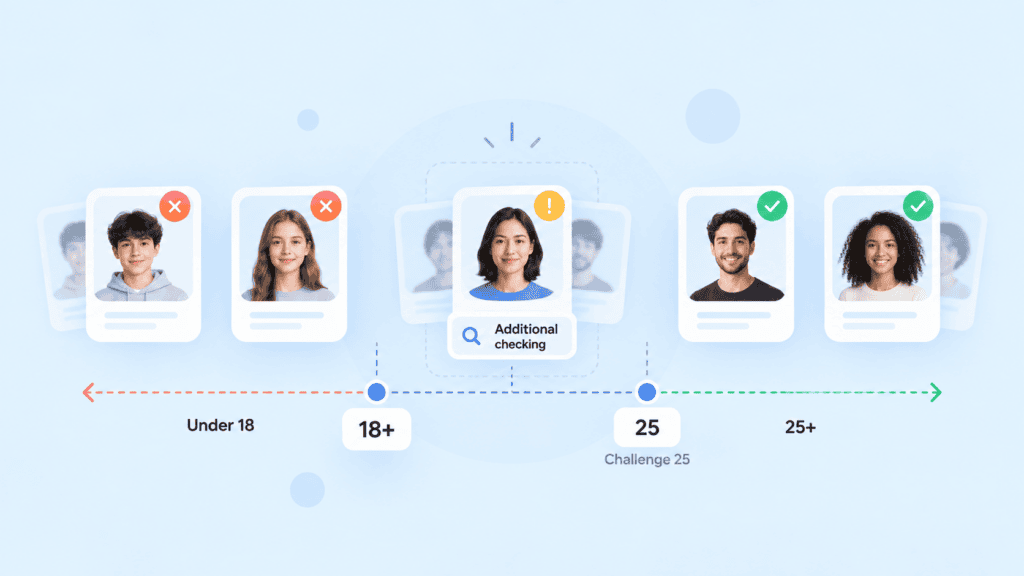
That combination is useful for organizations following a Challenge-style model. A business might, for example, apply facial estimation first and require additional proof only when the estimated age falls within a predetermined buffer around the restricted age.
Yoti also publishes age-group-specific performance information rather than relying solely on a single overall figure, which is a useful evaluation practice for regulated buyers.
Best suited to: organizations seeking a mature age-assurance ecosystem with both estimation and verification methods.
3. Incode
Incode offers facial age estimation as part of a broader identity platform and supports on-device approaches for some age-estimation use cases.
The architecture is notable because age and liveness analysis can be incorporated into a wider verification workflow, with users stepped into other verification methods where required.
For enterprise buyers, this combination can be more useful than purchasing a standalone model. A regulated business may need different rules for different jurisdictions, age thresholds, products, or transaction risk levels.
Best suited to: large platforms that want age estimation integrated into a configurable identity and compliance stack.
4. Veriff
Veriff approaches the problem through age assurance rather than treating facial estimation as an isolated classifier.
Its age-estimation capabilities can be incorporated into broader identity workflows, allowing organizations to use lower-friction checks initially and stronger verification where necessary.
That waterfall approach is useful for age-restricted commerce because it prevents every transaction from automatically becoming a full identity-verification event.
Best suited to: businesses that already need identity verification and want age assurance incorporated into the same vendor ecosystem.
5. Jumio
Jumio combines age-related biometric analysis with its established document and identity verification stack.
One particularly practical use case is using estimation as a pre-check. Users who appear comfortably above a business-defined challenge age can follow one route, while younger or borderline users can be escalated to government-issued ID verification.
That architecture can reduce unnecessary document requests without removing stronger evidence from higher-risk transactions.
Jumio also supports liveness and biometric controls, which matters when the user has an incentive to fool the camera.
Best suited to: regulated operators that need both age checks and mature identity-verification capabilities.
6. Sumsub
Sumsub provides several age-assurance methods inside a broader compliance platform, including facial analysis, identity-document verification, database-based verification, and other identity checks.
A useful workflow pattern is to run a selfie and liveness step first, then request an identity document only when further age confirmation is needed.
For organizations serving multiple jurisdictions, that flexibility can be valuable because one verification method rarely fits every legal or commercial context.
Best suited to: multinational regulated businesses that need configurable compliance workflows beyond age estimation alone.
7. AU10TIX
AU10TIX includes age-related biometric capabilities within its identity-verification platform.
Its offering combines facial analysis with liveness detection, face comparison, document verification, and fraud controls. That makes it better viewed as an identity platform with age-assurance functionality than as a narrowly focused age estimation API.
For regulated sales, that can be an advantage when the age check is only one component of onboarding, KYC, fraud prevention, or transaction approval.
Best suited to: organizations already looking for broader identity and fraud infrastructure.
8. Entrust
Entrust provides age and identity verification capabilities through a wider digital identity platform that includes document capture, biometric verification, fraud controls, and workflow configuration.
Its strength is less about providing a lightweight standalone age prediction and more about supporting enterprise verification journeys where a customer’s eligibility has to be established alongside identity evidence.
This makes it more appropriate for businesses where age assurance is one part of a broader regulated onboarding or identity workflow.
Best suited to: enterprise environments where age checks sit inside a broader identity-verification program.
9. Privately AgeAssure
Privately’s AgeAssure is focused heavily on privacy-preserving age estimation.
Its SDKs can perform processing on a user’s device or browser and return an age-estimation result without necessarily requiring the underlying facial input to be sent to the business. Privately also supports additional age-assurance methods beyond facial analysis.
That makes the product somewhat different from vendors centered primarily on identity documents and KYC.
Best suited to: organizations looking for lightweight, privacy-conscious age estimation rather than full identity proofing.
10. Ondato OnAge
Ondato’s OnAge takes a slightly different approach by allowing verified age eligibility to be reused within supported workflows.
A user completes an age-assurance process and can then prove eligibility without necessarily repeating the entire underlying identity check for every interaction.
The broader Ondato platform also provides document and identity-verification functionality, so organizations can escalate when facial estimation isn’t sufficient.
Best suited to: businesses interested in reusable age status and reducing repeated verification friction.
How to Compare Age Estimation Tools
Buying an age estimation API based on the highest advertised accuracy percentage is risky. Procurement teams should test the actual decision that matters to their business.
Measure Accuracy Around Your Legal Threshold
Suppose the legal minimum is 18.
An average error calculated across users aged 6 to 70 tells you much less than performance among 16-, 17-, 18-, 19-, and 20-year-olds.
The important questions are:
- How often are underage users classified above the threshold?
- How often are legitimate adults unnecessarily challenged?
- How does performance vary across demographic groups?
- What happens when confidence is low?
- Can you configure a buffer rather than treating the estimated age as an exact fact?
NIST’s age verification evaluation specifically measures the trade-off between underage users being incorrectly treated as overage and legitimate adults being incorrectly rejected. It also evaluates Challenge-25-style scenarios, making those results particularly relevant to age-restricted sales.
A retailer might use an 18+ legal threshold but configure facial estimation around a higher challenge point. Anyone sufficiently above that challenge point proceeds; users near it provide stronger evidence.
That is safer than writing:
estimated_age >= 18 → approve
A more realistic decision flow looks like:
if liveness_failed:
deny_or_retry()
elif estimated_age >= challenge_threshold:
approve_age_gate()
elif estimated_age < minimum_age:
restrict_access()
else:
request_stronger_age_evidence()
The exact thresholds should come from the organization’s legal, compliance, risk, and testing requirements, not from a generic example.
Check Where Facial Processing Happens
Architecture matters.
With cloud-based age estimation, the captured image or representation may travel from the user’s device into vendor infrastructure for processing.
With on-device age estimation, inference occurs locally and only the resulting age or threshold signal may need to leave the device.
Neither architecture is automatically right for every deployment. But teams should explicitly map:
camera → image processing → liveness → age prediction → transmitted result → retention
If the design requires storing selfies when all the merchant needs is “above threshold,” ask why.
For teams evaluating a privacy-first implementation, PrivateID’s on-device facial age estimation is one example of an architecture where image processing can remain at the edge rather than requiring raw facial imagery to be transmitted for age estimation.
Test Liveness With the Age Model
AI age estimation shouldn’t be evaluated independently from capture security.
Try obvious attacks during a proof of concept:
- printed face
- face displayed on another phone
- replayed video
- screen recording
- virtual camera
- altered image
- deepfake or face swap
- poor lighting
- partly obscured face
- multiple faces in frame
A model can have excellent facial age estimation accuracy on genuine images and still be unsuitable for regulated sales if presentation attacks are easy.
This is why the age-estimation layer should be evaluated alongside liveness detection, especially for remote transactions where an attacker controls the camera environment.
How to Design an Age Verification Workflow
The most useful practitioner lesson is simple: don’t ask one technology to make every decision.
A production age-assurance flow should separate low-risk certainty from borderline cases.
Consider an online store selling age-restricted goods.
A customer starts checkout and reaches the age gate.
Stage 1: Capture Quality and Liveness
Confirm there is a usable, live face before running the age decision.
This avoids wasting age-estimation processing on unusable captures and makes common presentation attacks harder.
Stage 2: Estimate Age
Run the facial model and generate either an estimated age, age band, confidence score, or threshold result.
The downstream application should know exactly which of those outputs it receives. An estimated age of 27, for example, should not automatically be interpreted as verified evidence that the person is exactly 27.
Stage 3: Apply a Safety Buffer
Do not automatically treat an estimate of 18 as proof that somebody is 18.
Suppose the organization’s approved challenge threshold is 25. A confidently estimated 36-year-old may proceed without providing an ID. Someone estimated around 20 would move to additional verification.
The buffer should be established using regulatory requirements, observed model performance, acceptable false-accept rates, and the consequences of approving an underage user.
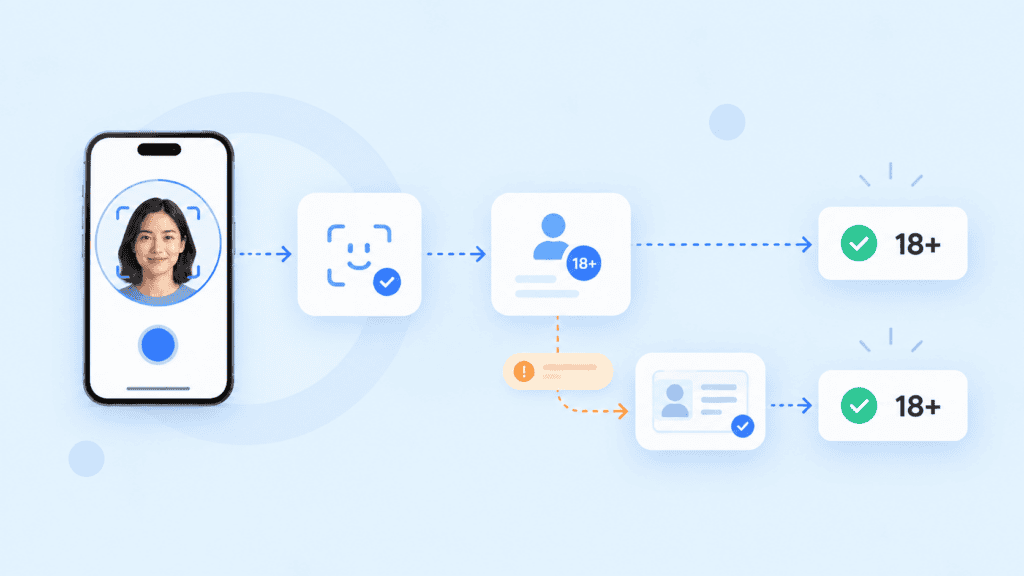
Stage 4: Step Up When Necessary
The user can provide stronger age evidence, potentially including a government-issued ID.
Where document verification is required, the workflow may extract the date of birth, validate the document, and, where appropriate, confirm that the person presenting it is its legitimate holder.
A privacy-conscious implementation should also consider whether the business actually needs the full identity document after the age decision has been made.
Stage 5: Return the Minimum Useful Decision
The merchant may only need:
{
“age_requirement_met”: true
}
It may not need a name, facial image, exact birth date, or exact estimated age.
This distinction is easy to overlook during implementation. The objective of age assurance is often to prove eligibility, not to build another identity database.
Choosing the Right Tool
There is no single best facial age estimation platform for every regulated business.
Choose based on the evidence your transaction actually requires.
If minimizing biometric data movement is a high priority, evaluate products capable of local or on-device inference. If your transactions regularly require definitive proof of age, prioritize vendors with strong document verification and fallback orchestration. If customers have a meaningful incentive to defeat the check, make liveness and injection-attack resistance first-class requirements.
Most importantly, test performance around your actual age threshold.
Don’t compare vendors only on average error, demo speed, or a headline accuracy percentage. Build a representative test set, examine false accepts and unnecessary escalations around the boundary, test spoofing, document the fallback path, and measure completion rates on real devices.
For regulated and age-restricted sales, the strongest age-assurance system is rarely the one that asks every customer for the most information. It is the one that obtains enough evidence for the transaction while exposing as little sensitive data as reasonably possible.
FAQs
What Is Facial Age Estimation Software?
Facial age estimation software analyzes facial characteristics and predicts a person’s likely age or age range. It may also provide a simpler result such as “above threshold” or “below threshold” rather than returning an exact estimated age.
How Is Facial Age Estimation Different From Age Verification?
Age estimation makes a probabilistic assessment based on characteristics such as a person’s face. Age verification uses stronger evidence, such as a government-issued document or authoritative record, to establish age more definitively.
How Accurate Is Facial Age Estimation?
There is no universal facial age estimation accuracy figure that applies to every model or population. Performance varies by age, demographics, image quality, model, and threshold, so regulated businesses should pay particular attention to false-accept and false-reject rates near the legal age boundary.
What Is On-Device Age Estimation?
On-device age estimation runs the age-prediction model locally on a phone, browser, kiosk, computer, or other endpoint. This can reduce or eliminate the need to transmit the original facial image to a remote age-estimation server.
Should Facial Age Estimation Replace ID Verification?
Not necessarily. A common approach is to use estimation for clearly above-threshold users and step uncertain or borderline cases up to stronger proof. The correct workflow depends on the jurisdiction, product, transaction risk, and applicable regulations.
Why Does Liveness Detection Matter for Age Estimation?
Liveness detection helps establish that the camera is seeing a real person rather than a printed photograph, screen replay, synthetic image, mask, or another spoof. Without adequate capture security, attackers may bypass an otherwise accurate age-estimation model.
What Should Businesses Look for in a Facial Age Estimation API?
Evaluate threshold configurability, age-specific accuracy, demographic performance, liveness, anti-spoofing, latency, SDK and browser support, on-device versus cloud processing, retention policies, fallback verification, error handling, auditability, and independent testing. For regulated deployments, test the complete decision workflow rather than evaluating the age model in isolation.