
 Back
Back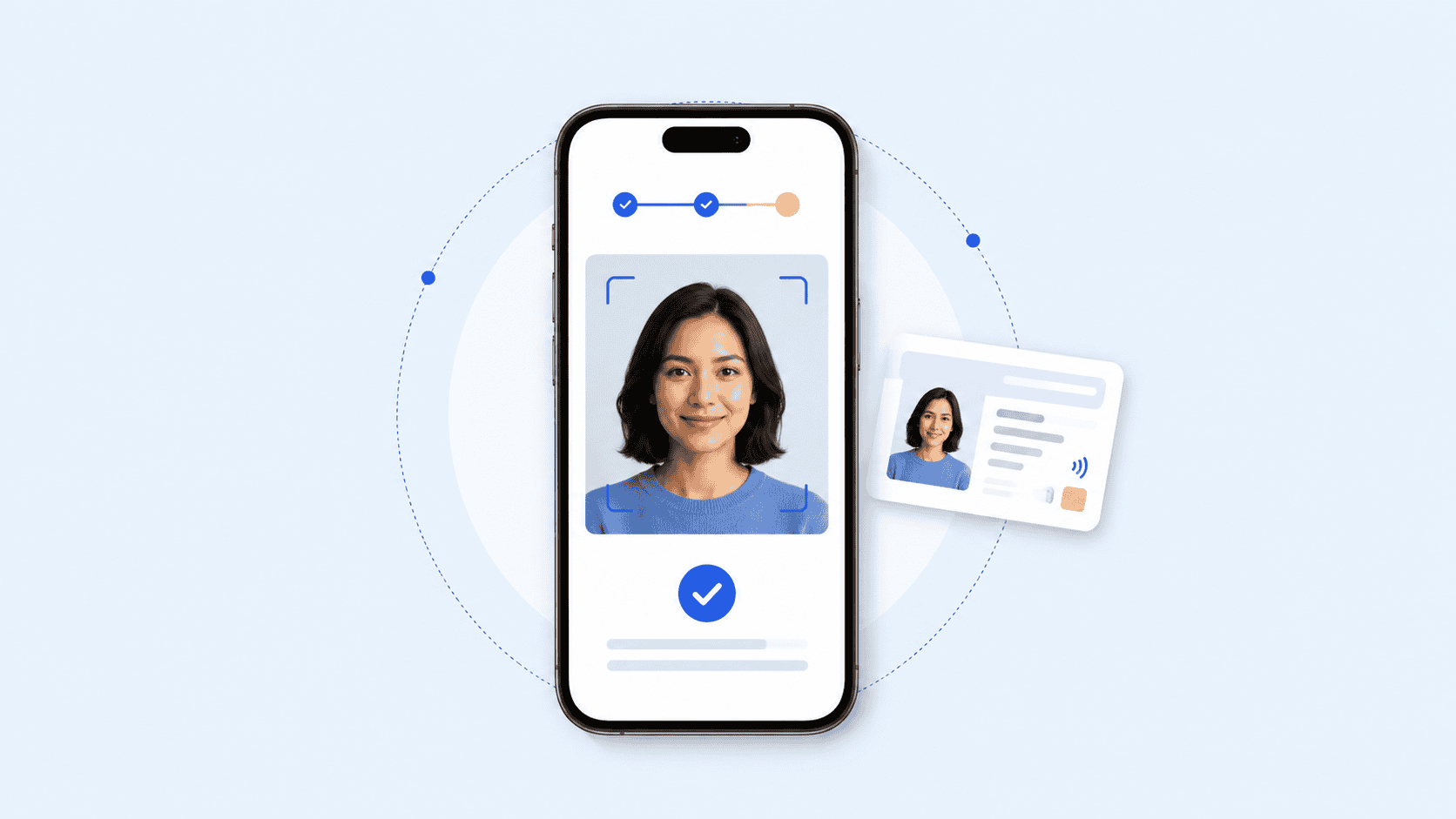
Choosing photo id creator software is no longer just a matter of finding a card template and connecting a printer. Some organizations need standardized facial images for government or workforce IDs. Others need employee badges tied to access systems. A third group wants digital credentials that users can carry and verify online.
Those are different requirements, and many platforms specialize in only one of them. This comparison separates photo capture, physical badge issuance, mobile IDs, and cryptographically verifiable credentials so you can choose a platform based on the credential you actually need to issue.
Key takeaways
- Photo ID platforms and digital credentialing platforms solve overlapping but different problems.
- Organizations that need an ISO compliant photo ID should evaluate image capture and validation separately from card design.
- Employee badging often requires printer, database, access-control, and credential lifecycle integrations.
- W3C verifiable credentials are a better fit when credentials need to be portable and machine-verifiable rather than simply displayed.
- The strongest choice depends on the complete issuance workflow, not the number of design features.
What to look for in photo ID creator software
The first question is not “Which platform has the best card designer?” It is “What has to happen before and after the card is designed?”
Consider an employee joining a distributed company. HR may need the employee to submit a photo remotely, confirm that it meets portrait requirements, associate it with a verified identity, issue a physical badge, and perhaps provide a digital credential for online or mobile access. A basic card editor handles only one part of that process.
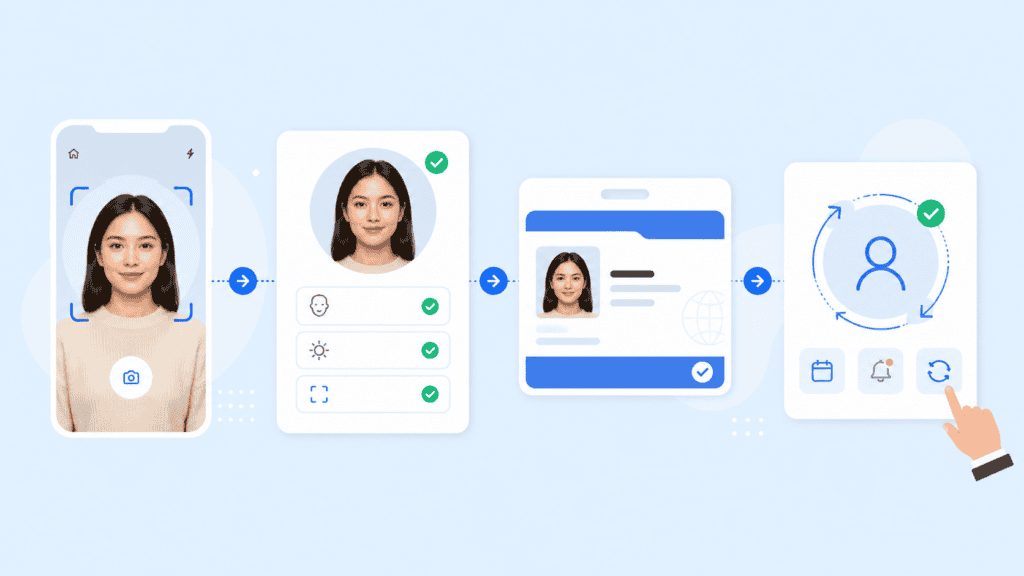
For higher-assurance applications, photo quality also has a technical dimension. ISO/IEC 19794-5 specifies facial-image recording, scene, photographic, and digital image requirements for biometric applications. It is more specific than simply requiring a clear headshot.
When evaluating photo id creator software, look at five areas:
- Photo acquisition: Can users submit images remotely, or must an operator take the photo?
- Image validation: Does the system assess pose, eye position, image dimensions, background, or other required characteristics?
- Credential creation: Can you produce physical cards, mobile IDs, verifiable credentials, or a combination?
- Identity assurance: Does the workflow merely accept supplied information, or can it connect credential issuance to identity proofing?
- Lifecycle management: Can administrators expire, revoke, replace, and update credentials after issuance?
That distinction matters because creating an attractive employee badge and establishing that the badge belongs to the right person are separate technical problems. NIST’s current Digital Identity Guidelines treat identity proofing and enrollment as their own processes, including requirements for establishing identity at different assurance levels.
Top 10 photo ID and digital credentialing platforms
This list is ordered by breadth of fit for photo ID and credentialing use cases, not by claiming one vendor is universally superior.
1. PrivateID
PrivateID is a particularly relevant option when photo capture is part of a broader identity workflow rather than a standalone desktop card-printing task.
Its Photo ID Creator captures portraits through camera-enabled phones, tablets, laptops, and browsers. The platform states that it can evaluate configurable characteristics such as illumination, pose, eye separation, eye-axis angle, image dimensions, glasses, closed or obstructed eyes, and head-to-image ratios. It supports ISO 19794-5 and INCITS 385-2004 portrait requirements.
The practical difference becomes clearer in remote enrollment. Instead of asking an employee to email HR a selfie and having someone manually crop it, an organization can establish image-quality rules before accepting the portrait. The same approach can support employee badges, driver’s licenses, passports, school IDs, CAC enrollment, and other credential programs.
PrivateID also extends beyond photo generation. Its verifiable credentials platform supports white-labeled browser-accessible credentials, while its broader identity management capabilities combine identity proofing, document verification, and credential issuance workflows.
Best fit: Organizations that need standardized remote photo capture together with identity proofing or digital credential issuance.
2. Entrust Instant ID
Entrust Instant ID is aimed more directly at established physical credential programs. It supports organizations ranging from a single workstation to enterprise deployments and provides card design, issuance, workflow configuration, database connectivity, and printer integration.
This makes it a strong employee badge creation software candidate when physical card production is central to the project. Entrust also offers an Instant ID as a Service option that can issue physical and mobile credentials from the same cloud-based environment.
Entrust is especially relevant when organizations already operate card printers or need features such as smart-card personalization, magnetic stripes, barcodes, QR codes, batch printing, and distributed issuance.
Best fit: Enterprises, schools, healthcare organizations, and government programs issuing large numbers of physical IDs.
3. HID Asure ID
HID Asure ID is another established option for organizations centered on physical ID cards.
HID provides several Asure ID editions, from entry-level card personalization through enterprise-class issuance. The software is closely aligned with HID’s FARGO card printer ecosystem and supports designing and populating physical credentials. HID’s current release information lists Windows 10 and Windows 11 support.
The attraction here is less about remote biometric photo acquisition and more about controlled workstation-based card personalization. That can be exactly what a security office, campus badging desk, or corporate credential center needs.
Best fit: Organizations using HID FARGO hardware or running traditional on-site badge production.
4. BadgePass Identity Manager
BadgePass Identity Manager combines card issuance with credential lifecycle management.
Rather than treating the employee card as an isolated printed object, the platform is designed to manage photo IDs, credential status, physical-access connections, printers, and enterprise data from a centralized environment.
That makes it useful when an employee badge also acts as an access credential. For example, security staff may need to create a badge, activate access privileges, later suspend it, and replace the card without maintaining separate records in several systems.
Best fit: Corporations, educational institutions, government organizations, and other environments where visual ID and physical access overlap.
5. ID123
ID123 approaches credentialing from the mobile-ID side.
Administrators use its cloud-based management system to issue digital ID cards, while cardholders store them in the ID123 mobile application. The system supports employee, student, membership, guest, contractor, and temporary credentials. Features include expiration controls, offline access, in-app photo submission, screenshot prevention, and support for multiple cards.
This is a useful distinction for organizations evaluating digital id creation software. If the requirement is simply to give employees or members a convenient digital card, a mobile-ID system may be more appropriate than implementing a full cryptographic credential infrastructure.
Best fit: Schools, membership organizations, and businesses that primarily want app-based mobile identification.
6. Microsoft Entra Verified ID
Microsoft Entra Verified ID sits on the digital identity side of this comparison rather than the photo-card design side.
Verified ID provides cryptographic proof of a verified identity and can support identity verification scenarios within Microsoft Entra environments. Microsoft specifically distinguishes Verified ID from authentication methods such as multifactor authentication or normal account sign-in.
That makes it most relevant to organizations already invested in Microsoft’s identity ecosystem and looking for digital identity verification rather than a traditional employee card editor.
Best fit: Microsoft-centric organizations that need verifiable digital identity workflows rather than physical badge production.
7. Credly
Credly focuses on digital credentials for skills, qualifications, certifications, and workforce development.
Organizations use it to issue credentials that recipients can share and employers can verify. Credly also provides credential and workforce-skills data for organizations managing certification or training programs.
It should not be confused with conventional photo id creator software. Credly is much better suited to answering “What qualification has this person earned?” than “What photograph belongs on this employee’s access badge?”
That difference makes it highly relevant to the broader credentialing market while keeping it separate from identity-card issuance.
Best fit: Certification providers, training organizations, and employers issuing skill or achievement credentials.
8. Accredible
Accredible serves a similar digital achievement credentialing market, with tools for issuing branded digital certificates and badges.
Its platform supports verifiable credentials, white-labeling, learner directories, automated issuance, expirations, renewals, learning pathways, integrations, and sharing across websites and social platforms.
For universities or professional education providers, those capabilities can matter more than photo-card functionality. Accredible is therefore an alternative to consider when “credential” means proof of education or professional achievement rather than proof of physical identity.
Best fit: Universities, associations, certification bodies, and employee learning programs.
9. Dock Certs
Dock Certs is focused on cryptographically verifiable credentials.
The platform supports issuing, managing, revoking, and verifying digital credentials, with holders able to present them for verification rather than requiring the verifier to contact the original issuing organization.
This model reflects the broader move toward portable digital credentials. The W3C’s Verifiable Credentials Data Model 2.0 became a Recommendation in May 2025 and defines a standards-based way to express credentials so they can be cryptographically secured, privacy-respecting, and machine-verifiable.
Best fit: Organizations building decentralized or portable verifiable credential programs.
10. MATTR
MATTR is aimed at developers and organizations building standards-based digital credential ecosystems.
Its tooling covers credential issuance, holding, and verification, including mobile driver’s license use cases and emerging browser-based credential presentation. MATTR also documents support for the developing W3C Digital Credentials API through its holder technology.
Compared with a conventional id card creation platform, MATTR sits much deeper in the infrastructure layer. It is a better candidate when a development team needs to incorporate credentials into applications, wallets, or interoperable identity systems.
Best fit: Governments, technology providers, and development teams implementing standards-based digital identity infrastructure.
How the platforms compare
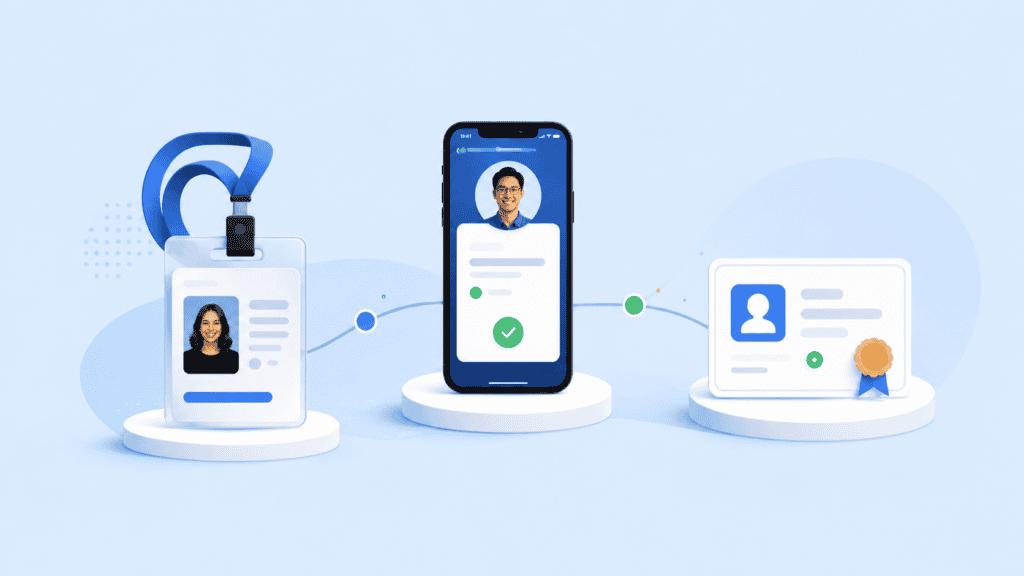
The easiest way to narrow the list is to separate the type of credential from the technology used to issue it.
| Platform | Primary strength | Physical photo ID | Mobile/digital ID | Verifiable credentials | Best suited to |
| PrivateID | Remote compliant photo capture and identity workflows | Yes | Yes | Yes | Identity-centric credential programs |
| Entrust Instant ID | Enterprise card issuance | Yes | Yes | Varies by implementation | Physical and distributed card programs |
| HID Asure ID | Card personalization | Yes | No primary focus | No primary focus | HID/FARGO printing environments |
| BadgePass | Badge and access credential management | Yes | Platform dependent | No primary focus | Enterprise and campus badging |
| ID123 | Mobile photo IDs | Limited physical focus | Yes | Digital credential capabilities | Schools, businesses, memberships |
| Microsoft Entra Verified ID | Digital identity verification | No | Yes | Yes | Microsoft identity environments |
| Credly | Skills and certification credentials | No | Yes | Yes | Workforce and certification programs |
| Accredible | Certificates and digital badges | No | Yes | Yes | Education and training |
| Dock Certs | Portable verifiable credentials | No primary focus | Yes | Yes | Decentralized credentials |
| MATTR | Credential infrastructure | No primary focus | Yes | Yes | Developer and government ecosystems |
The table also exposes an important procurement mistake: comparing products simply because they all use the word “credential.”
A university security department creating employee photo badges has very different requirements from the university registrar issuing digital diplomas. The security team may care about portrait quality, card printers, access control, and revocation. The registrar may care about cryptographic verification, sharing, wallet compatibility, and proof of academic achievement.

How to choose the right platform
Start by documenting the issuance workflow before reviewing feature lists.
Suppose you need to create IDs for 5,000 employees across 20 offices. Ask what happens from the moment an employee is invited through the moment the credential expires:
- How is the person’s identity established? Decide whether an administrator already knows the employee or whether remote identity proofing is required. For higher-assurance digital workflows, the NIST SP 800-63A-4 identity proofing framework provides a useful reference for thinking about enrollment and identity assurance.
- How is the photo captured? Determine whether employees visit a badge office, upload files, or capture images remotely. If standardized facial images are required, evaluate whether the software actually tests the relevant photographic characteristics.
- What gets issued? Be explicit about whether you need a plastic ID card, mobile badge, browser-accessible credential, cryptographic credential, or several formats.
- What systems must receive the credential data? Check requirements for human resources information systems, directories, printers, physical access control, identity and access management, or custom applications.
- What happens after issuance? A real credential program needs expiration, revocation, replacement, role changes, and offboarding. A polished card designer cannot compensate for weak lifecycle controls.
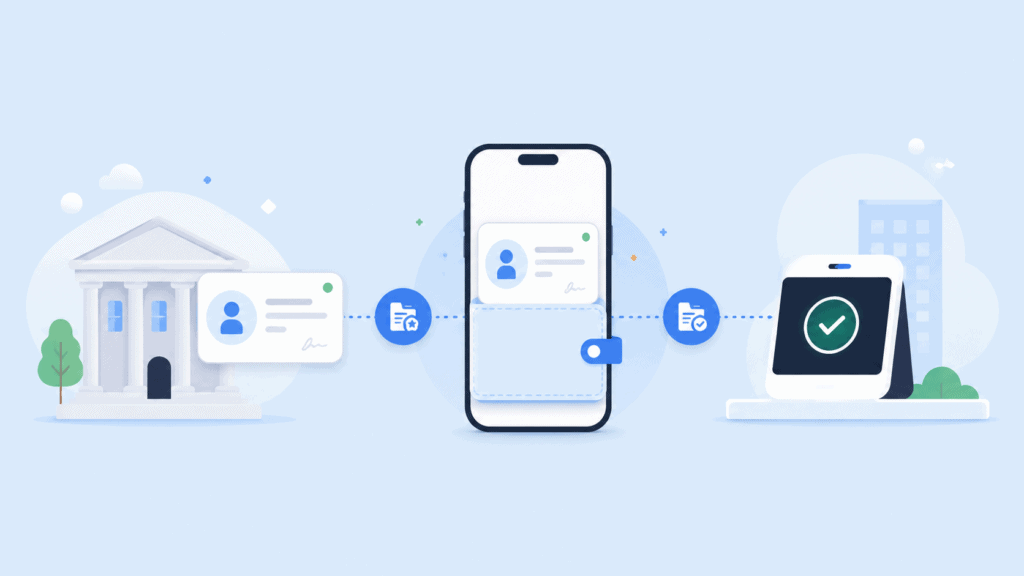
For digital credentials, standards also deserve attention. The W3C Verifiable Credentials Data Model 2.0 defines an issuer-holder-verifier model for cryptographically secured credentials. That is fundamentally different from placing an image of an employee card inside an app.
The same principle applies to ISO compliant photo ID requirements. Do not assume that a product is standards-compliant because it can crop a face into a rectangular template. ISO/IEC 19794-5 addresses characteristics of facial images used for human verification and automated recognition, including photographic and image-format considerations.
For many organizations, the selection therefore comes down to one of four paths:
- Choose a photo-focused platform when portrait quality and remote capture are the hard part.
- Choose traditional employee badge creation software when printing and physical access are central.
- Choose mobile ID software when the main goal is replacing a plastic visual credential with a phone-based one.
- Choose digital credentialing software when credentials must be portable, cryptographically verifiable, and usable between organizations.
The category matters more than the product ranking.
Choosing photo id creator software around the workflow
There is no single feature checklist that works for every credential program.
If the main requirement is a remotely captured standards-based portrait, prioritize capture controls and image validation. If you operate badge printers across several facilities, look closely at distributed issuance, permissions, database support, and hardware compatibility. If recipients need to prove qualifications outside your organization, examine interoperability and verifiable credential standards instead.
The strongest photo id creator software is therefore the platform that removes the weakest point in your own issuance process. Define that process first, then compare products.
FAQs
What is photo ID creator software?
Photo ID creator software helps organizations capture or import a person’s photograph and create an identification credential around it. Depending on the product, it may also handle templates, printers, image validation, databases, identity verification, digital IDs, and credential lifecycle management.
What is the difference between photo ID software and digital credentialing software?
Photo ID software usually focuses on visual identification and physical or mobile cards. Digital credentialing software may instead issue cryptographically verifiable claims about identity, qualifications, employment, licenses, or achievements.
The categories can overlap, but they are not interchangeable.
What does ISO compliant photo ID mean?
In biometric contexts, ISO/IEC 19794-5 defines requirements concerning facial image recording, photographic conditions, scene constraints, and digital image attributes. Software claiming support for the standard should therefore do more than resize an ordinary photograph.
Can employees create their own ID photos remotely?
Yes. Some platforms allow users to capture portraits through a phone, tablet, laptop, or browser rather than visiting a staffed enrollment location. The important question is whether the system merely accepts the image or validates it against your organization’s required photo rules.
Is a mobile ID the same as a verifiable credential?
Not necessarily. A mobile ID may simply display identity information inside an application. A verifiable credential uses cryptographic mechanisms that allow another party to verify its issuer and integrity according to the credential system being used. W3C’s Verifiable Credentials framework formalizes this issuer, holder, and verifier model.
Which software is best for employee badges?
For printer-centered employee badging, products such as Entrust Instant ID, HID Asure ID, and BadgePass are designed around physical credential issuance. Organizations that also require remote portrait validation, identity proofing, or browser-based credentials may need a broader identity platform.
What should I test before buying an ID card creation platform?
Run one real enrollment from start to finish. Capture the photo, create the credential, send data to any connected system, issue the badge, revoke it, and replace it.
That small test often reveals more than a feature comparison because it exposes where administrators must manually re-enter data, correct photos, switch applications, or manage duplicate records.